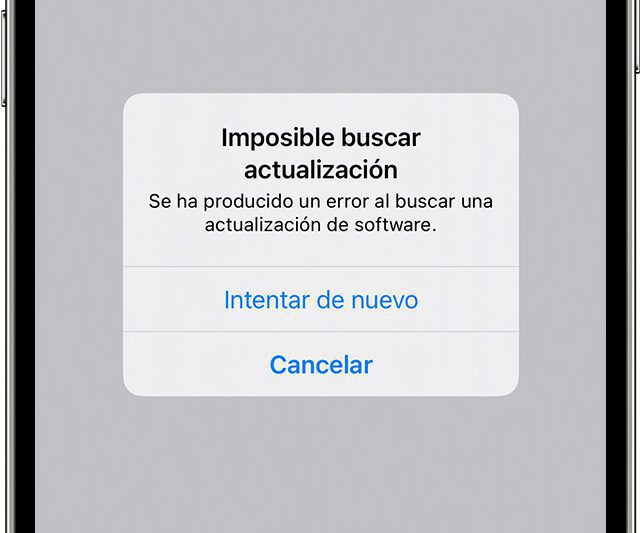
iPhone software error
There can be many reasons why the iOS software update failed. Sometimes, an error code appears informing you about the exact problem encountered on the device and sometimes it can happen through a wireless update error. It can also be caused by certain iOS versions such as iOS 10.3 or the new iOS 11 bugs.
In this article, we will tell the reasons why some people get an Apple software update error when installing the update and what are the safest ways to fix this problem.
This may be applicable to versions from iOS 10.3 to iOS 15.
Why an error may occur when downloading updates
An Apple software update error occurred while installing updates.
It may be due to many possible reasons, which can be any of the following:
- Insufficient space to host the software
- The upgrade was aborted
- Unable to connect to Apple servers
- The power of the network is too weak to complete
How to fix an error when installing iOS updates
If after performing the above evaluation and your iPhone still receives the error «An error occurred while installing the update» on iOS 10.3 and iOS 11, you can try performing one of the solutions proposed below:
- Reset network configuration
- Restart iPhone / iPad and wifi router
- Re-attempt to download during off-peak hours.
- Upgrade via iTunes
- Switch from wifi to mobile data
- Activate and deactivate the airplane mode
You can come to one of our stores Datasystem, a company dedicated to the repair of laptops and desktops, data recovery, Apple specialists, computer assemblies and repair of motherboards of all kinds. We have a store located in Calle Doctor Esquerdo n.º 12, and another one in Calle Hernani n.º 13.
With all the features you need
We have experts in computer repair and we know your needs. We have the ability to fix your device at a reasonable price and in the shortest possible time.