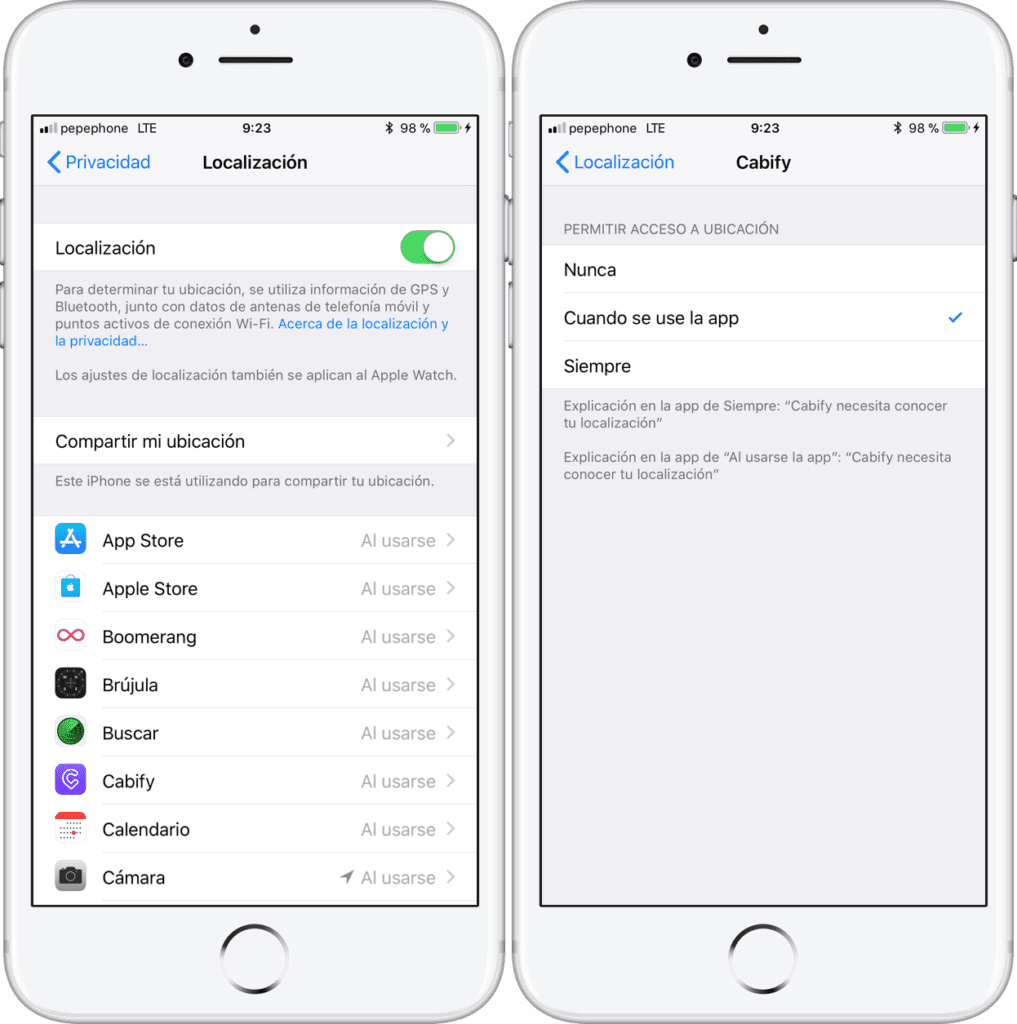
Location allows location-based apps and websites (including Maps, Camera, Safari and other Apple and third-party apps) to use information from mobile networks, Wi-Fi and the global positioning system (GPS) to determine your approximate location.
For example, an app could use your location data and location search queries to help you find nearby coffee shops or movie theaters, or your device could set its time zone automatically based on your current location.
Options you can try
Go to Settings and activate location services.
You can enable or disable Localization in Settings > Privacy > Location. You can enable Location during the Setup Wizard process or later via the Location setting. You can individually control which apps and system services have access to Location data. When Location is turned off, apps cannot use location in the foreground or background. This will limit the performance of several Apple and third-party apps.
If you want to reset all location settings to factory defaults, go to Settings > General > Reset and tap Reset location and privacy. When the location and privacy settings are reset, apps will stop using your location until you give them permission again.
Your GPS is not accurate enough? Check the system settings
iOS offers several levels of location, thanks to its GPS sensor, in order to reduce the consumption of the phone and, at the same time, offer a higher level of privacy. Usually you have a ‘Precise location’ and ‘Approximate location’ option. If you had the second option checked, your mobile will not be positioned with the precision you need, which will ruin the use of maps or GPS navigation.
To check if your cell phone has the precise location activated:
The location settings of each app offer the possibility to check ‘With precision’ so that they get the most reliable GPS location possible. Make sure that the app you want to open has precise location enabled.
Is it possible to repair the GPS sensor?
If the error in your iPhone If it was not solved with the options above, it will be because it has been damaged, in our store we have specialized people to repair this problem.
No matter what model it is, the price will be the same, and since it is an easily available part, it won't take long to repair it.
For help with wireless charging, please call us at 910174686. Data Sistema is a nationwide computer service company with 3 locations in Madrid. Our Madrid computer repair service staff offers this blog post. If you need computer repair in Madrid Centro, call the local office at 661531890.